


Maps
There are two types of maps, the "world map" and the "field
maps". The World map is the main one that comes up as you
open the clipboard ("ESC" to open/close clipboard). You can
use the "insert" and "delete" keys to zoom it in and out. Most of
these maps are fairly big so very few print them out. When a new
map is up, the first time you jump in the arena it will
automatically start the download and install the map. You can
download each of the "world maps" on your own by starting the game
and after signing in click on the "Choose Terrain" button. This
will open a screen with all the maps that are available in the
game including the Main Arena world maps, the event arena maps,
and even test maps. Click on the map you want and click the
"download button to start the download.
The current maps rotation is....
sfma
• bowlma
• riftval
• atoll
• fjordma
• baltic
• montis
• smpizza
• grinder
• oceania
• ndisles
• natoma • northco
• etoma
• 3points
• badlands (Winter)
• crags
• blacksea
• Scandnvy
• craterma
• Dwnundr
Field maps on the other hand are a different animal. The game
comes with a default set of maps (right click the map on the
clipboard and select "Clipboard Maps"). The default set gives you
the basic layout of the fields, towns, and strats. Some players
like to "add" a bit more information. I have two sets. In the game
I use "8thJinx" maps.
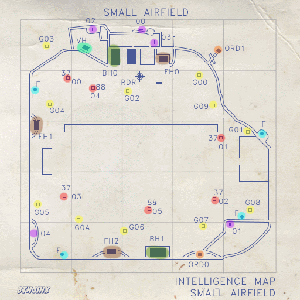
The hangers and other objects are
numbered and color coded to make them a bit easier to find. Some
players will add approach vectors for gun attacks or bomb runs to
drop hangers. The nice thing about these is the numbering system.
It matches the games labeling system. Right click a base on the
map and select "XX Down Times" . If it reports FH1 and FH2 is down
you know that FH0 is the one you need to hit. Locate it on the map
and it makes it much easier to find it and make you run.
The second set I have is one put together by "1ijac".
The second set I have is one put together by "1ijac".
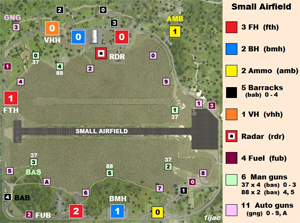
His set has a legend on the side of
the map to help you find what your looking for. You could cut the
legend off to get them down to the 512x512 size limitation and be
used as in game maps. What makes this set nice is you can print
out each map and keep them on hand to use as needed with out
opening the clipboard all the time.
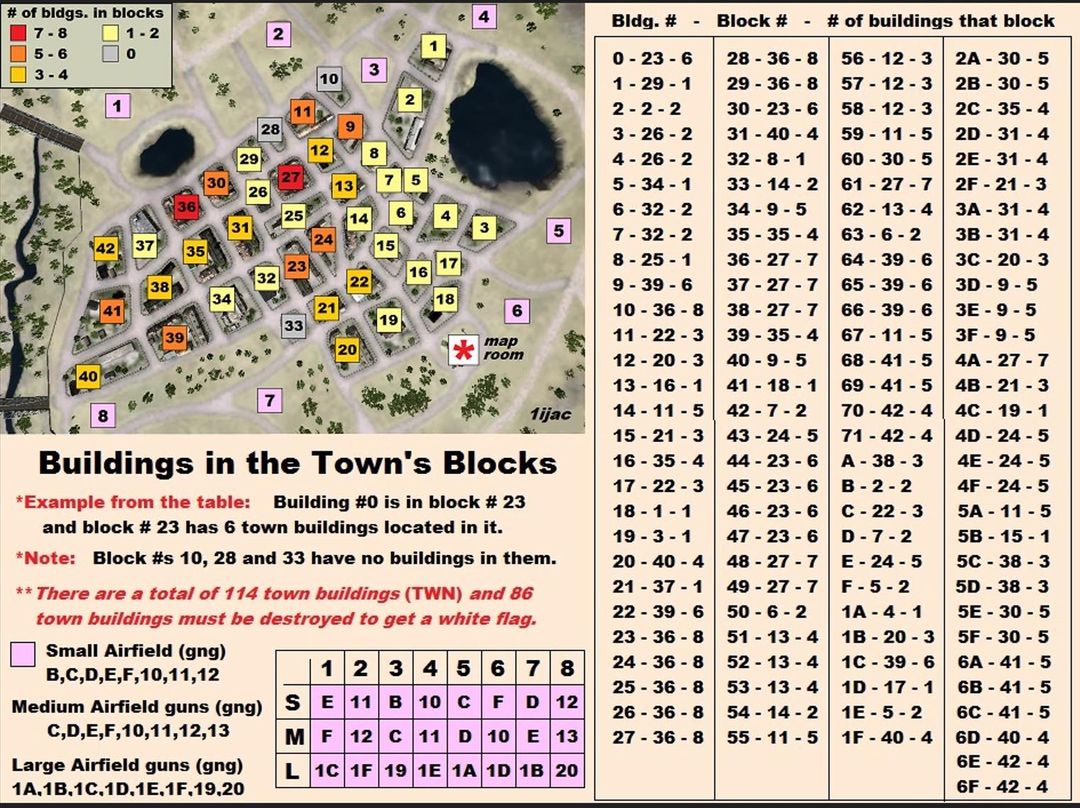
This third one is the layout for a
town. It labels all the building so you can check down times,
reason out which are still up and groupings for bomb drops (groups
of buildings can be dropped with a single bomb due to "splash
damage". Knowing which groups with what types of bombs can go a
long way in white flagging a town on your own). Click on the map
to get a larger version to save it. Thanks "Kenai".
HOME